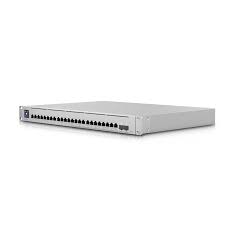
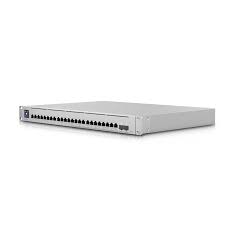
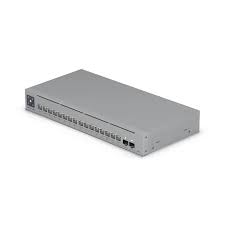
The Ubiquiti UniFi USW-Enterprise-24-PoE Switch is a powerful business-class network switch designed to deliver fast, reliable connectivity and power over Ethernet (PoE) for a wide range of devices like access points, IP cameras, VoIP phones, and IoT equipment. With 24 high-speed Gigabit Ethernet ports and robust PoE support, this switch provides both data and power through a single cable, simplifying network setup and reducing clutter. It works seamlessly with the UniFi Network Controller, offering centralized control and easy management for medium to large networks in offices, schools, hotels, and enterprise environments.
Key Features
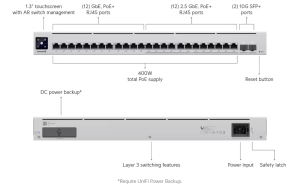
24 × Gigabit Ethernet ports for strong wired connections
PoE+ support to power devices like cameras and access points
High total PoE budget for powering many devices at once
Managed through UniFi Network Controller for easy monitoring
VLAN and QoS support for secure and optimized network traffic
Layer 2 switching with advanced network controls
Rack-mountable design for server rooms and closets
Specifications
Model: USW-Enterprise-24-PoE
Ports: 24 × Gigabit Ethernet with PoE+ (802.3at/af)
Choose the Ubiquiti UniFi USW-Enterprise-24-PoE when you need a robust and scalable PoE switch for business networks. Its strong Gigabit performance, large PoE power budget, and centralized UniFi management make it easy to connect and power many devices while keeping your network stable and secure. Whether for offices, schools, or enterprise systems, this switch gives you fast connectivity, powerful PoE delivery, and simple network control.
Reviews
There are no reviews yet.
Be the first to review “Ubiquiti UniFi USW-Enterprise-24-PoE Switch”Cancel Reply


Reviews
There are no reviews yet.