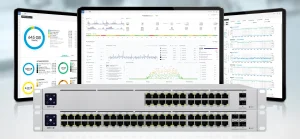
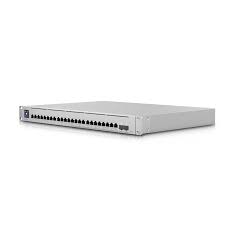
The Ubiquiti UniFi USW-24-PoE 24-Port PoE Switch is a powerful network switch that provides 24 Gigabit Ethernet ports, including PoE (Power over Ethernet) support to power devices like access points, cameras, phones, and IoT devices using the same cable for data and power. It is ideal for offices, schools, hotels, shops, and business networks that need reliable, high-speed connections and centralized power for multiple devices. With UniFi Network Controller management, you can easily control your whole network and see performance in real time. The switch delivers steady performance, expands network capacity, and simplifies setup with PoE support.
Key Features
24 Gigabit Ethernet ports for fast wired connections
PoE support on most ports to power devices without extra adapters
Managed through UniFi Network Controller for easy control
High throughput for smooth traffic and strong performance
VLAN and QoS support for secure and optimized networking
Rack-mountable design for server rooms and network closets
Choose the Ubiquiti UniFi USW-24-PoE when you need a reliable PoE network switch that can power many devices and connect them at Gigabit speeds. First, its PoE support reduces cable clutter and power adapters, making installation cleaner and simpler. In addition, centralized management in the UniFi Network Controller makes it easy to monitor traffic, set VLANs, and control ports. Moreover, the switch delivers stable performance and consistent power to all connected devices. Therefore, this switch is ideal for medium to large business networks needing fast connectivity, stable power delivery, and centralized network control.
Reviews
There are no reviews yet.
Be the first to review “Ubiquiti UniFi USW-24-PoE 24-Port PoE Switch”Cancel Reply



Reviews
There are no reviews yet.