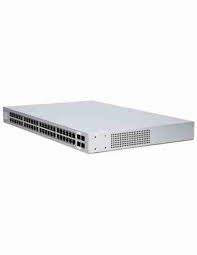
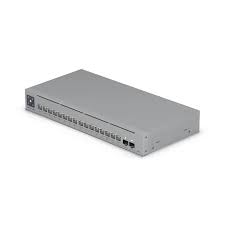
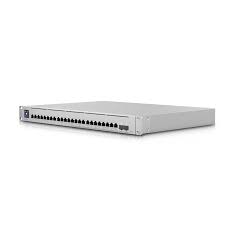
The Ubiquiti UniFi Switch Aggregation (USW-Aggregation) is a high-performance network switch designed to connect and manage large amounts of data between devices in business networks, data centers, and enterprise environments. It acts as a central point that aggregates multiple network links into one powerful backbone, allowing fast and reliable data transfer between UniFi switches, servers, storage units, and core network devices. This switch supports high-speed connections and helps reduce network congestion, giving smoother performance for services like video, VoIP, cloud apps, and large file transfers.
Key Features
High-capacity data aggregation for network backbones
Supports multiple 10 GbE SFP+ and 40 GbE QSFP+ ports for fast links
Designed for data centers and large networks
Seamless integration with UniFi Network Controller
Reduces network bottlenecks and improves traffic flow
Robust build quality for reliable performance
Specifications
Model: USW-Aggregation
Port Types: Combination of 10 GbE SFP+ and 40 GbE QSFP+ ports
Speed: Up to 40 Gbps backbone throughput
Management: Managed via UniFi Network Controller
Layer: Layer 2 switching functions with VLAN support
Power: Standard AC power supply
Mounting: Rack-mountable design suitable for server rooms
Security: VLAN, ACL support for network segmentation
How to Configure
Install UniFi Network Controller on a PC, server, or UniFi Cloud device.
Connect the USW-Aggregation switch to your network core using the SFP+ or QSFP+ ports.
Launch the UniFi Network Controller and adopt the switch.
Assign IP settings, VLANs, port profiles, and link aggregation groups as needed.
Enable features like QoS and traffic monitoring for optimal performance.
Save and apply your settings to start managing traffic through the switch.
Choose the Ubiquiti USW-Aggregation switch if you need a powerful backbone device that can handle heavy traffic loads and connect multiple high-speed network links without delays. First, its high-speed 10 GbE and 40 GbE ports make it ideal for growing businesses, data centers, and networks that support video, cloud apps, large files, and VoIP traffic. In addition, it improves network performance by reducing congestion and making data flow smoother. Moreover, with easy setup and management through the UniFi Network Controller, you get clear visibility and control over your entire network. Therefore, the USW-Aggregation is a smart choice for businesses that need fast, reliable, and scalable network backbone solutions.
Reviews
There are no reviews yet.
Be the first to review “Ubiquiti UniFi Switch Aggregation (USW-Aggregation)”Cancel Reply


Reviews
There are no reviews yet.