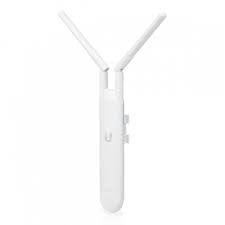
Ubiquiti UniFi UAP-AC-PRO Access Point (UAP-AC-PRO) Dual Band
The UAP-AC-Pro – UniFi AC Pro Access Point is a powerful dual-band Wi-Fi access point that delivers fast, stable internet for homes, offices, schools, hotels, and large indoor or outdoor spaces. It supports both 2.4 GHz and 5 GHz bands, helping many devices connect at once without slowdowns. The UAP-AC-PRO provides wide wireless coverage, reaching up to about 183 meters (600 feet) in open areas, so you get strong Wi-Fi across large rooms, yards, or business spaces. It works with the UniFi Controller, making it easy to manage and monitor your network from one dashboard. With PoE (Power over Ethernet) support, installation is simple using a single cable for power and data.
Key Features
Dual-band Wi-Fi (2.4 GHz and 5 GHz) for faster connections
802.11ac technology for strong performance
Wide coverage for large indoor and outdoor areas
PoE support for easy installation
Centralized management with UniFi Controller
Multiple SSIDs and VLAN support
Smooth roaming between access points
Specifications
Model: UAP-AC-PRO
Wi-Fi Standard: 802.11a/b/g/n/ac
Frequency Bands: 2.4 GHz & 5 GHz
Maximum Data Rate: Up to 1300 Mbps (5 GHz) and 450 Mbps (2.4 GHz)
Ethernet Ports: 2 × Gigabit Ethernet (1 PoE)
Power: 802.3af/at PoE
Mounting: Ceiling or wall
Environment: Indoor / Outdoor
Security: WPA2-AES, guest control, VLAN support
How to Configure
Install the UniFi Network Controller on a PC, server, or cloud device.
Connect the UAP-AC-PRO to your network using a PoE injector or PoE switch.
Open the UniFi Controller and adopt the access point.
Create your Wi-Fi name (SSID) and secure password.
Adjust basic settings like channel and power level if needed.
Save and apply your settings to start using the Wi-Fi.
Why Choose UAP-AC-PRO
Choose the Ubiquiti UniFi UAP-AC-PRO when you want strong, reliable Wi-Fi that covers large areas with simple setup and easy management. Its dual-band support handles many devices smoothly, while PoE and centralized UniFi control save time and effort. With wide coverage and seamless roaming, it’s a great choice for homes, businesses, schools, and outdoor areas.
Reviews
There are no reviews yet.
Be the first to review “UAP-AC-Pro – UniFi AC Pro Access Point”Cancel Reply



Reviews
There are no reviews yet.